

It’s that time of the year, again!
-Insurance Renewal-
As of Friday, August 21st, every employee will receive an auto-generated email from “Employee Navigator” or “Kelly@fbplans.com”. This email will provide you a link to register. This link is also provided ⇒HERE⇐
This link IS accessible from your cell phones!
If you have not received your link, please check you junk/spam folder. If you are still unable to find the email, contact Emily at (386) 561- 3333.
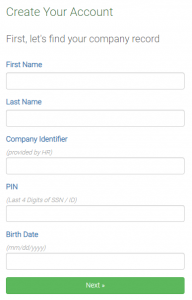
Once you open the link, you will be brought to a registration page.
The Company Identifier is ACE AC.
Please fill out the requested information. A screenshot of the registration form is listed below.
Once you have created your own individual account, your home screen will a green button that says “Finish Enrollment” (Image 1). Once you select “Finish Enrollment”, you will be directed to another page “Get Started” to begin your enrollment (Image 2).
Image 1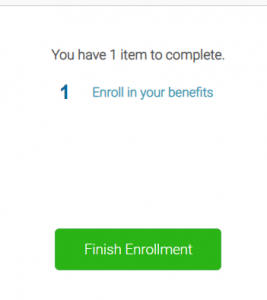 Image 2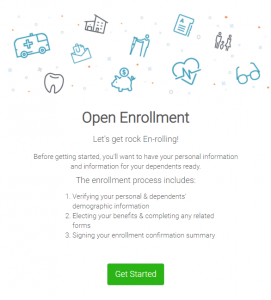
From this point, follow the 10 step process to confirm your information as well as add any dependents. With each step of the enrollment you are able to accept or decline coverage for yourself and/or any of your dependents. As you select your desired coverage plan and those you wish to cover, the “cost per pay period” will immediately update to provide your weekly contribution.
Open Enrollment is a time sensitive task and is important to be completed regardless if you are accepting or declining coverage.
Any questions, please contact Emily at (386) 561- 3333.